
Tips for Creating a Cozy and Productive Home Workspace
Creating a cozy and productive home workspace is essential for anyone working remotely or spending significant time on personal projects. A well-designed workspace can boost your focus, reduce stress, and help separate your work life from home life. Whether you have a dedicated room, a corner, or just a small desk area, these tips will help you transform your space into a comfortable and efficient zone that suits your needs.
Choose the Right Location
Your workspace location plays a big role in your comfort and productivity. Ideally, select a spot with good natural light and minimal distractions. Here’s what to consider:
– Quiet Area: Choose a place away from household noise or activity to help you concentrate better.
– Natural Light: Position your desk near a window to benefit from daylight, which can improve mood and energy.
– Space: Ensure there’s enough room for your equipment and any materials you use regularly.
If you don’t have a spare room, a quiet corner or even a foldable desk in a less trafficked area can work well.
Invest in Comfortable Furniture
Comfort is key to staying productive and avoiding fatigue. Setting up your space with ergonomic furniture can make a big difference:
– Ergonomic Chair: Choose a chair with adjustable height, lumbar support, and comfortable padding. Good posture reduces back and neck pain.
– Desk: Select a desk that fits your space and provides enough surface area for your computer, notebooks, and other tools.
– Standing Options: Consider a sit-stand desk or a converter to alternate between sitting and standing throughout your day.
Taking care of your body helps maintain focus and well-being, especially during long work sessions.
Organize for Efficiency
A cluttered desk can be distracting. Organizing your workspace promotes better workflow and a clear mind:
– Storage Solutions: Use shelves, drawers, or boxes to keep essential items within reach but out of sight.
– Cable Management: Tame the cords with clips or covers to avoid a tangled mess.
– Minimalism: Keep only necessary items on your desk to reduce distractions and create a clean look.
Develop routines for tidying your workspace daily or weekly—it pays off with a more inviting and efficient environment.
Personalize Your Space
Adding personal touches can make your workspace feel warmer and more inviting, which contributes to a cozy atmosphere:
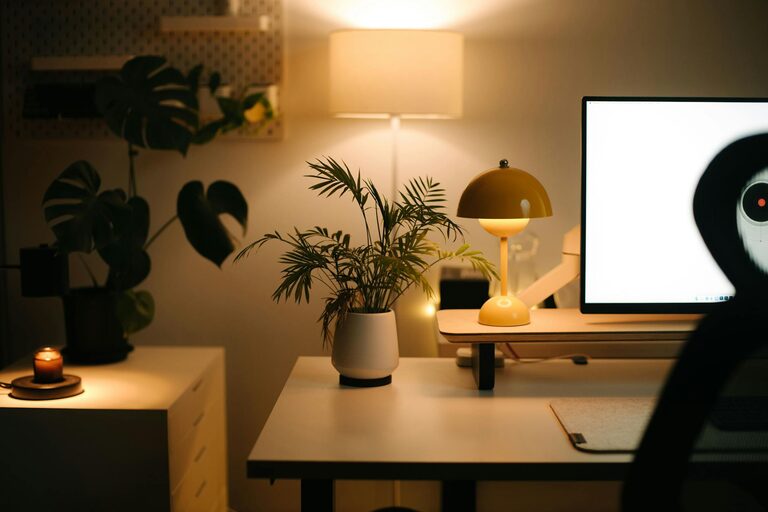
– Plants: Small indoor plants can improve air quality and add a touch of nature.
– Artwork and Photos: Hang art or display photos that inspire and motivate you.
– Soft Textiles: Cushions, rugs, or throws add texture and comfort to your area.
Balance personalization with simplicity, so your space remains functional and not overly busy.
Optimize Lighting
Good lighting reduces eye strain and improves mood. Consider a mix of natural and artificial lighting:
– Natural Light: Open curtains and blinds during the day to make the most of sunlight.
– Task Lighting: Use a desk lamp with adjustable brightness to illuminate your work area without glare.
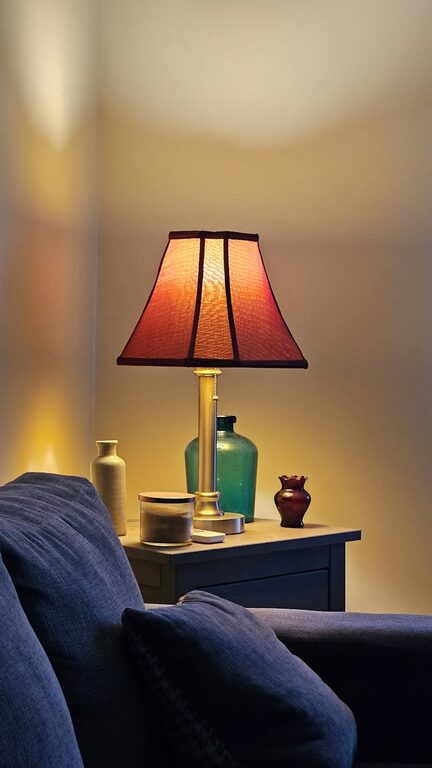
– Ambient Lighting: Soft overhead or floor lamps create a warm and welcoming environment.
Adjust lighting based on your tasks and the time of day for the best results.
Minimize Distractions
Staying focused can be challenging at home. Proactively managing distractions helps maintain productivity:
– Noise Control: Use noise-cancelling headphones or play soft background music if helpful.
– Set Boundaries: Communicate your work schedule to family or housemates to reduce interruptions.
– Clear Digital Space: Organize your computer’s desktop and close unnecessary tabs and apps.
Establishing rituals like a morning routine signals the start of your workday and primes your mindset for focus.
Add Comfort Features
Small additions can greatly enhance your comfort, which impacts your overall productivity:
– Temperature Control: Use a fan, heater, or adjust windows to stay comfortable throughout the day.
– Hydration Station: Keep a water bottle or tea nearby to stay hydrated.
– Movement Breaks: Plan regular stretches or short walks to avoid stiffness and refresh your mind.
Maintaining your physical comfort helps sustain energy and concentration.
Use Technology Wisely
Technology can streamline your work but can also be a source of distraction if not managed well:
– Appropriate Equipment: Use a reliable computer, monitor, keyboard, and mouse suited for your tasks.
– Apps and Tools: Leverage productivity apps, calendars, and timers to stay organized.
– Regular Breaks: Use apps that remind you to pause and rest your eyes or stretch.
Keep your workspace tech setup simple and functional for the best experience.
Final Thoughts
Creating a cozy and productive home workspace is all about balance—combining comfort, organization, and functionality tailored to your needs. By thoughtfully arranging your surroundings and incorporating personal touches, you can establish a space that helps you work effectively while feeling relaxed and motivated.
Start small, and adjust your workspace over time to discover what truly supports your best work at home.
Related Post
Tips for Creating a Cozy and Functional Home Workspace
Creating a cozy and functional home workspace is essential for anyone working remotely or studying…